Samstag, 25. Oktober 2014

Deactivate social feature MySite, Newsfeed, OneDrive, Sync, Share & Follow in SharePoint 2013

In several project I had the request to deactivate one or all of the following features. Poorly there is no consistent way to do it.

Sync button

To deactivate that feature we can use the SPList.ExcludeFromOfflineClient property. With this PowerShell Script we can set the value to 1 which deactivates the Synch function everywhere.

THX Sahil Malik for that script

Get-SPSite -limit all | get-SPWeb -limit all | Foreach {$_.Title = $_.Title;
$_.ExcludeFromOfflineClient=1; $_.Update()}


MySite:

If we can start with a fresh system we can remove the permissions to create MySites. If already MySites are created we first must delete them. Only the MySites, not the MySite host!
Do not give the user the option to set up MySites will also remove the Newsfeed and the OneDrive link in the SharePoint top link bar.


Share

This script disables the “Allow access request” setting under Site Settings -> Site Permissions -> Allow access request for all Sites and SubSites und the configured URL

$Webapp = Get-SPWebApplication "http://MySharePointURL"
ForEach ($site in $webapp.Sites)
{ForEach ($web in $site.AllWebs | where {$_.RequestAccessEnabled -and $_.Permissions.Inherited -eq $false})
{$web.RequestAccessEmail=""
write-host $web.Title, $web.URL updated}}

The “Share” button and also the entries in the HoverPannels and context menus are still there but the user get the message that he did not have the right to share content or sites. Another option is to set the max allow documents, sites and users to follow to 0. We can do this in Manage Profile Service -> MySites settings section -> Manage Following http://technet.microsoft.com/en-us/library/jj219740(v=office.15).aspx


Follow

This script goes through the hierarchy and disables the Following Content feature in every WebSite. You get an error message for every site where the feature is not active or missing. This can be ignored

$w = Get-SPWeb http://MySharePointURL | ForEach{ $_.URL }
Get-SPFeature -Web $w |%{ Disable-SPFeature -Identity "FollowingContent" -URL $w -Confirm:$false}

Mittwoch, 10. September 2014

First version of Delve is available

The first version of Delve formerly known as “Project Olso & Office Graph” is now available.

So what exactly is Delve? Here is what Microsoft says:

Delve (Codename Oslo) & Office Graph
Delve (Codename Oslo) is the first experience to use the power of the Office Graph. Delve is a new way to search and discover content across Office 365 based on personalized insights. Delve will be available as a Windows 8 app, on mobile devices, and integrated in the Office 365 web experience. Office Graph is an underlying technology and a suite-wide intelligence fabric that will help you discover content and make new connections. The Office Graph analyzes signals and applies machine learning. Personalized insights are built up for each user, based on their behavior, their relationships to content, topics and one another. Content and signals are captured from Exchange Online, SharePoint Online, and Yammer.

The Delve feature is located in the Office Bar at the top of the O365 site. Delve is only available for O365.

Here are some additional useful links:

Delve shows content from SharePoint team sites and OneDrive for business content. In the future, we will see more content sources to push content to the Office Graph, such as email attachments, meetings, group content, video portal content, Yammer signals/shares etc. We will also see an API for Delve in the future. The API will probably be a REST-based API supporting CRUD operations.

Delve looks like this:

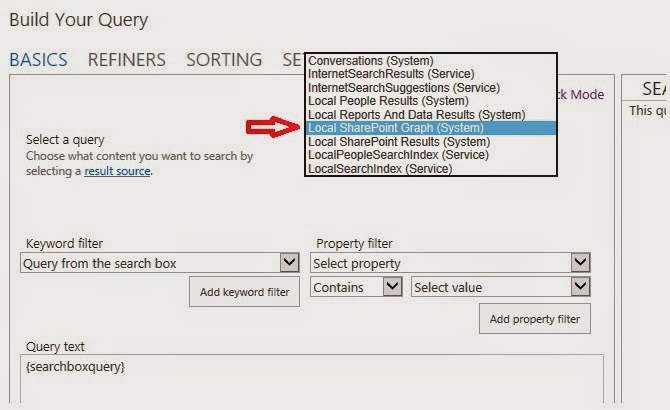
Going to Query Editor in a search result webpart we can see a new Result Source:

This result source is not shown under SharePoint online administration or in the site settings menu. It’s only visible in the Query Builder. The Office Graph gets its own index. We can assume that this new result source is mapped to the new Graph Index. The new result source is not showing any results using it in a search result web part.

Is Delve only another content aggregation?

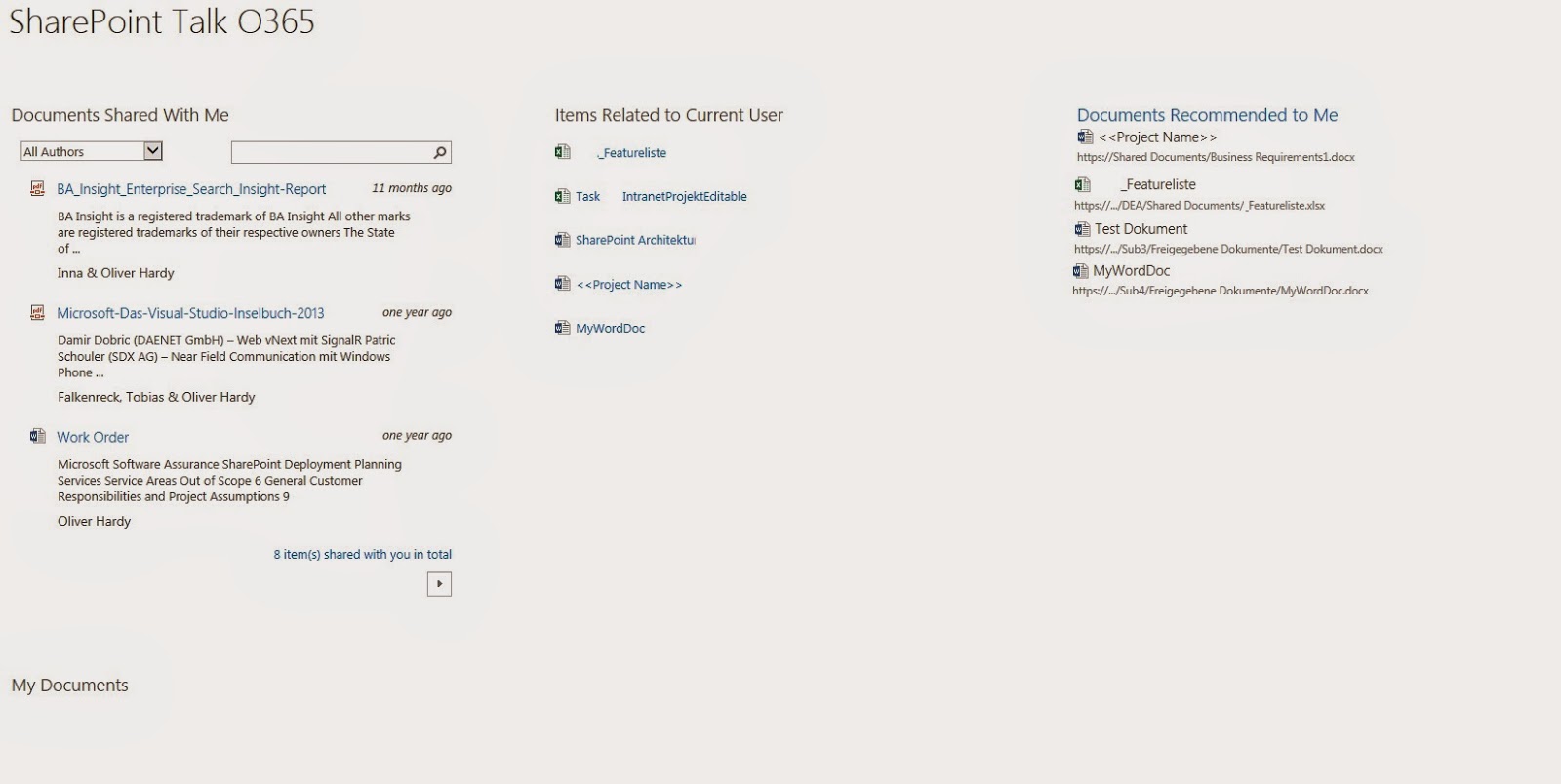
In SharePoint / SharePoint Online, we have several sites and web parts showing content based on search and social indicators:
·         My Documents
·         Recent Documents
·         Docs I'm following
·         Suggested documents to follow
·         Documents Shared with Me
·         Documents we have in common


Aggregating all this in one page shows that the content is mostly related:

So is Delve only an aggregated view of all this? No it is not! Delve is based on the Office Graph, which is a kind of machine learning to map the relationships between people, content, and activity that occurs across Office 365.
To give you an idea how this works, let’s have a look at the following example.
As part of Google, we have an Analytics engine called Google Trends. http://www.google.com/trends/
I use this engine to get the following report.
  • Search term 1: Hangover
  • Search term 2: Vodka
  • Entity: Time

That means: Item1=Hangover Item2=Vodka

Item to Item recommendation shows a correlation between this to search terms / items at the end of December every year – at New Year's Eve ;-)

There is a correlation between these search terms and the date New Year’s Eve. In Delve it would be two people who are working both on the same document and because of this correlation, the system (Delve) is showing that document in the context of “trends around me.” The backend logig, algorithems and ranking models of Delve respect those correlations based on so called “signals” A signal for example is generated whene a user clicks on a document etc.  SharePoint Analytics works in a similar way. In SharePoint Analytics we talk about “events” which is the same like a “signal” in Delve / Office Graph. Both techniques are collecting, aggregation and analyzing what user are doing and is generating correlations  between content and content and users. Both solution Delve / Office Graph and SharePoint Analytics doing similar analytics but Delve is going a step forward and will soon also integrate Yammer and other components from O365.
To complete this, let’s have a look at how the SharePoint features like Items “Related to Current User” or “Suggested documents to follow” works.
“Items related to current user” is based on a result source. This result source can be used in a content search web part:


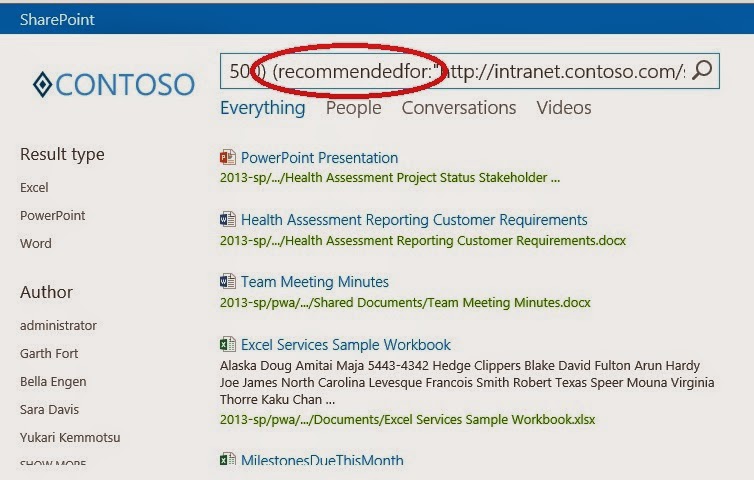
“Suggested documents to follow” is based on the managed property “recomendetfor”

Roundup

So the following features are based on SharePoint Search and SharePoint Analytics. They are part of SharePoint on-prem and can be used without Office Graph and Delve.
  • My Documents
  • Recent Documents
  • Docs I'm following
  • Documents Shared with Me
  • Documents we have in common
  • Suggested documents to follow (with social impact)
  • Items related to current user (based on a system result source)
Delve is based on search driven solution and the Office Graph, but this is not SharePoint Search or SharePoint Analytics. Delve has its own index and its own backend system as part of Office 365. Delve is not available as part of SharePoint search-driven solutions or WebParts. Also the Office Graph can not used as a result source in SharePoint Search Querys or Search WebParts. It’s a separate and independent solution.
  • Delve

When you add Delve on top of the traditional search results, this all can be a little bit confusing for end users and decision makers; a company needs a strategy for all of this. I think that Delve is the future of all these ideas and techniques. Delve will get an addition push with the upcoming Phone and Windows Apps, which allows us to get access to all this using mobile devices and without using the web interface of Office 365.
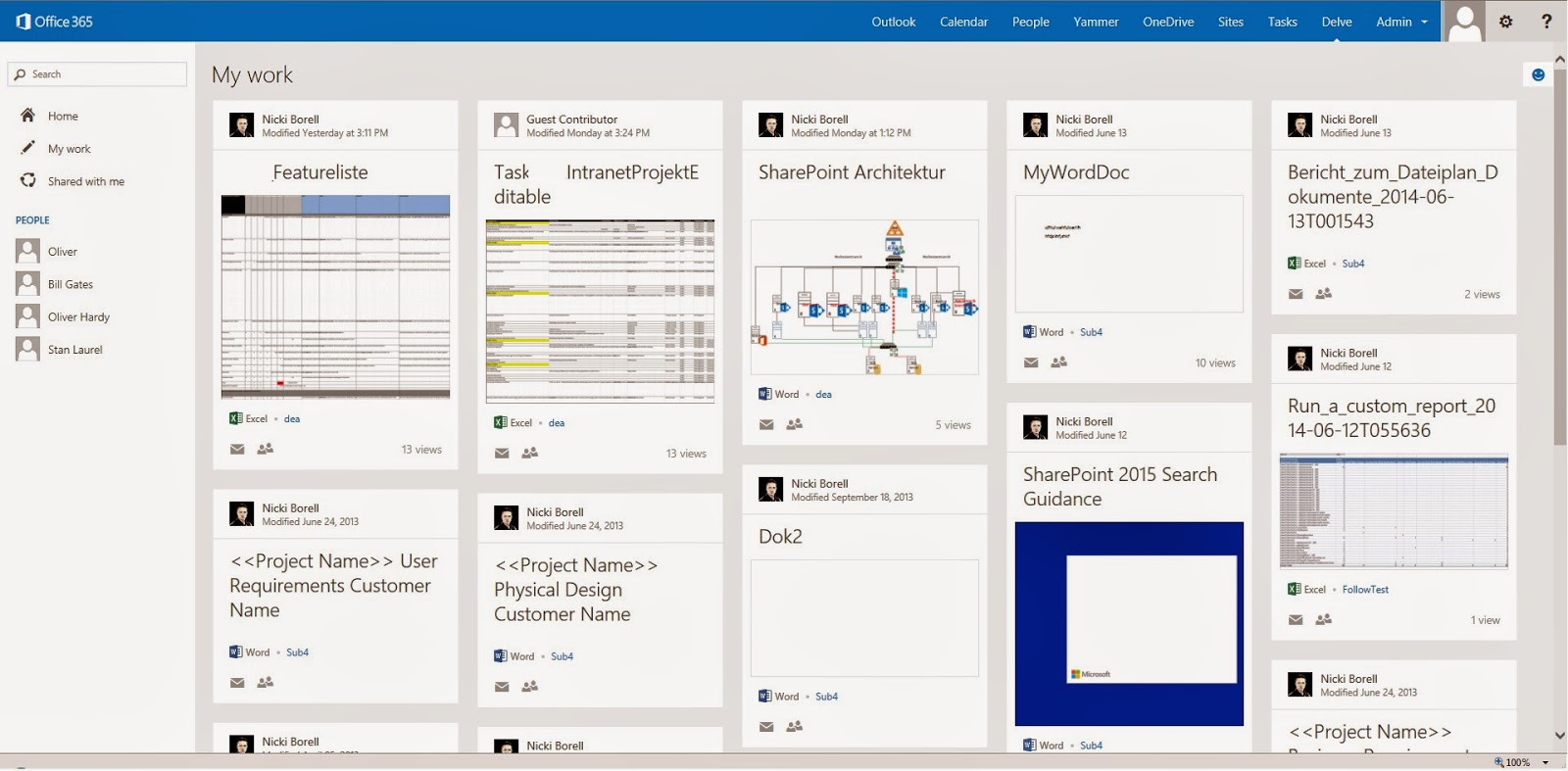
Again, you need more description here. How is this related to the bullet list above?
Belonging to comment NB5: Delve is new and not based on SharePoint Search or SharePoint Analytics feature. Delve had its own index and its own backend system the Office Graph. All this is not available in std. Search Driven Solutions build with  regular SharePoint Features like in the “Search Based” bullet list.

Donnerstag, 21. August 2014

Unable to reactivate Yammer user in external network

Situation:
A user with login xx@MyDomain.com was first only using a external Yammer network. Let’s call it  XYZInside.com network. Than the company of the user created an own Yammer enterprise network. Let’s call it MyDomain.com. The MyDomain.com, The user is now also joing the Yammer network of its company. The Yammer network with the DNS suffix MyDomain.com became now automatically the primary network for the user because of the domain suffix for his login and of the Yammer network are the same.
The user now was disabled in the external network XYZInside.com and could not be reactivated.
Solution: unchecked the option: “Require admin approval for MyDomain.com members to join other companies' external networks.”
Only available in Yammer enterprise networks

The user could join the external network in the past because of he did that before the his now primary network with this policy enabled was created.

Montag, 14. Juli 2014

Chapter 2 - SharePoint 2013 Analytics Feature

Using the SharePoint 2013 analytics feature

Found chapter two of my tutorial about using the SharePoint 2013 analytics feature on itunity:

Using the SharePoint 2013 analytics feature

Visit us under www.itunity.com                          Follow us on Twitter @itunity01 


Samstag, 21. Juni 2014

Project Oslo and the Office Graph – first indications

At this year SPC in Las Vegas, Microsoft introduced codename Oslo and the Office Graph. If you want to see how the product should look watch this YouTube video:

Microsoft is working on the product. The TAB program is about to start and Oslo is now appearing with status "started" on Yammer release Schedule: https://about.yammer.com/success/engage/grow-your-network/release-schedule/
In my Office 365 Tenant belonging to my MSDN Subscription I also found the first indications. I have a look in several other Tenants and can actually not found anything of this. Not sure it´s because of this Tenant is part of an MSDN Subscription.

New result source

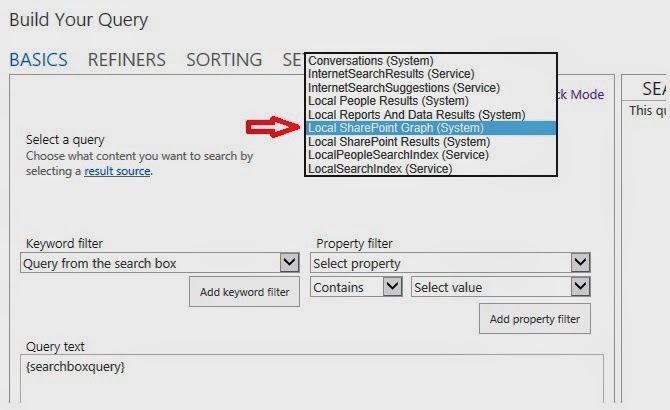
Interesting artefact is the new result source: “Local SharePoint Graph”
This result source is not shown under SharePoint online administration or in the site settings menu. It’s actually only visible in the Query Builder. Latest news from Microsoft says that the Office Graph gets its own index. We can assume that this new result source is mapped to the new Graph Index. Actually the new result source shows the same results like the “Local SharePoint Results” source.

Stay tuned about upcoming news about Project Oslo & the Office Graph….